 Xiaopeng Xu
NAMD/VMD 使用
VMD
VMD 是 MD 结果的可视化工具。
安装
安装包有不支持 Ubuntu,但支持其他系统。推荐安装到 Mac OS。比较方便。
使用
PDB 文件可视化
见 https://www.ks.uiuc.edu/Research/vmd/vmd-1.8.2/tutorial/html/node2.html。需要先新建 Molecule,然后修改它的 Graph 展示。
核心操作界面:
主操作界面和展示界面;

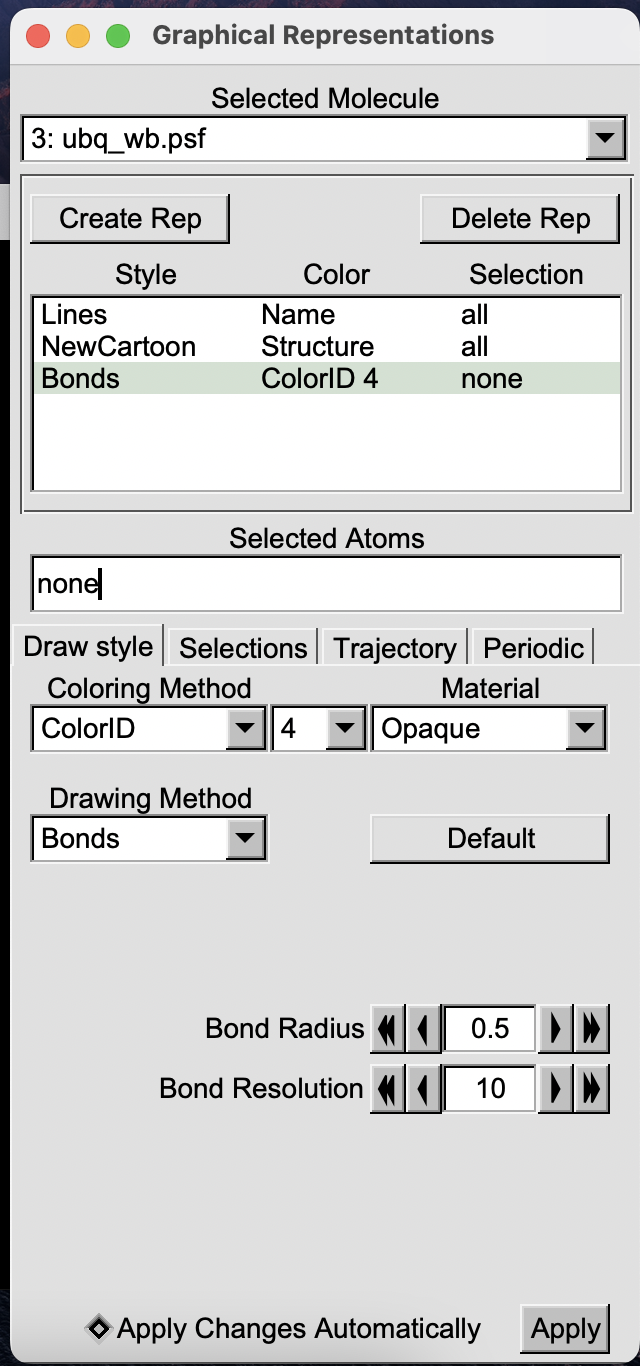
Graphics > Representation 界面,修改展示效果;
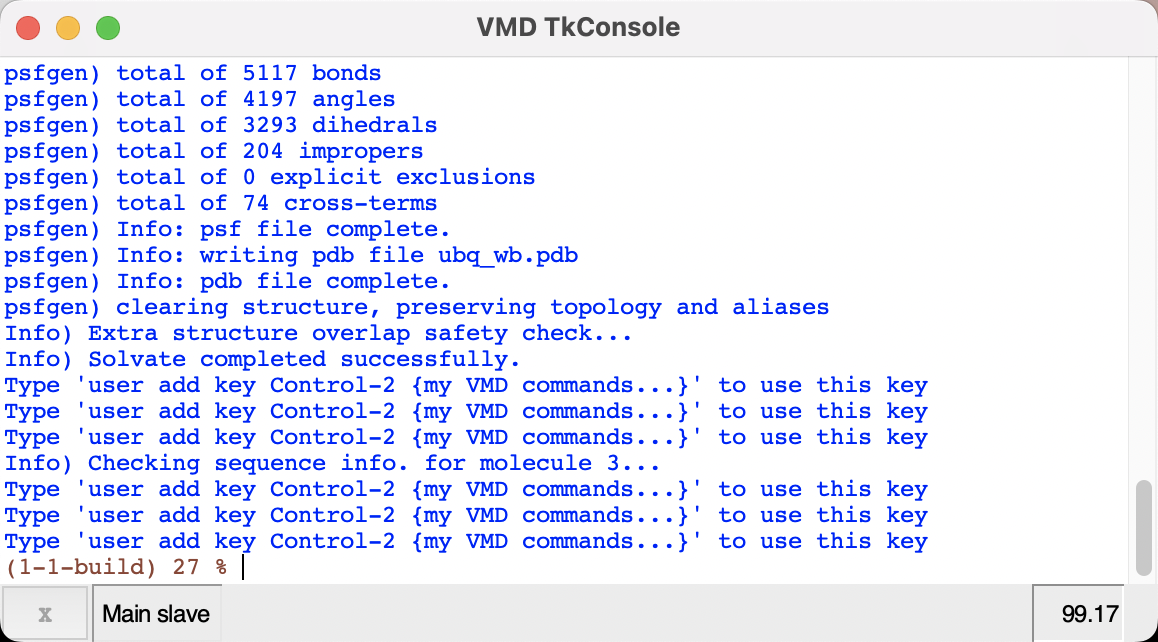
Extension > Tk Console 中,运行脚本和命令;
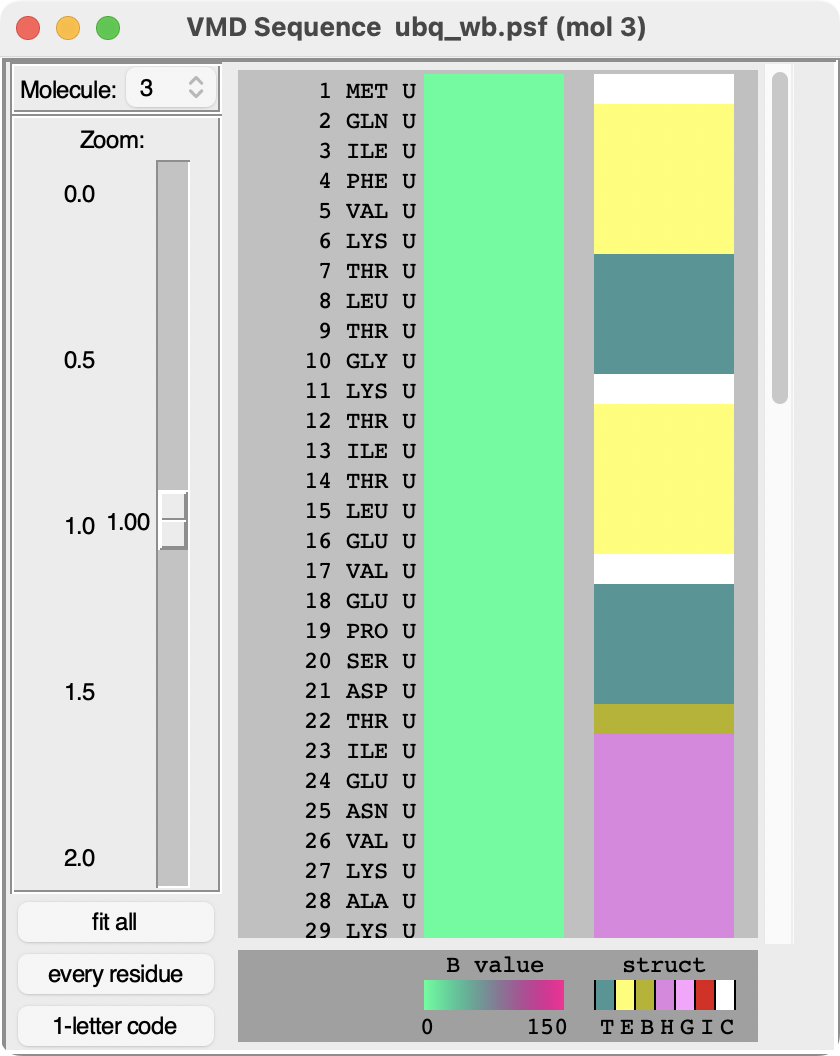
Extensions > Analysis > Sequence Viewer 中,查看和选择氨基酸序列。
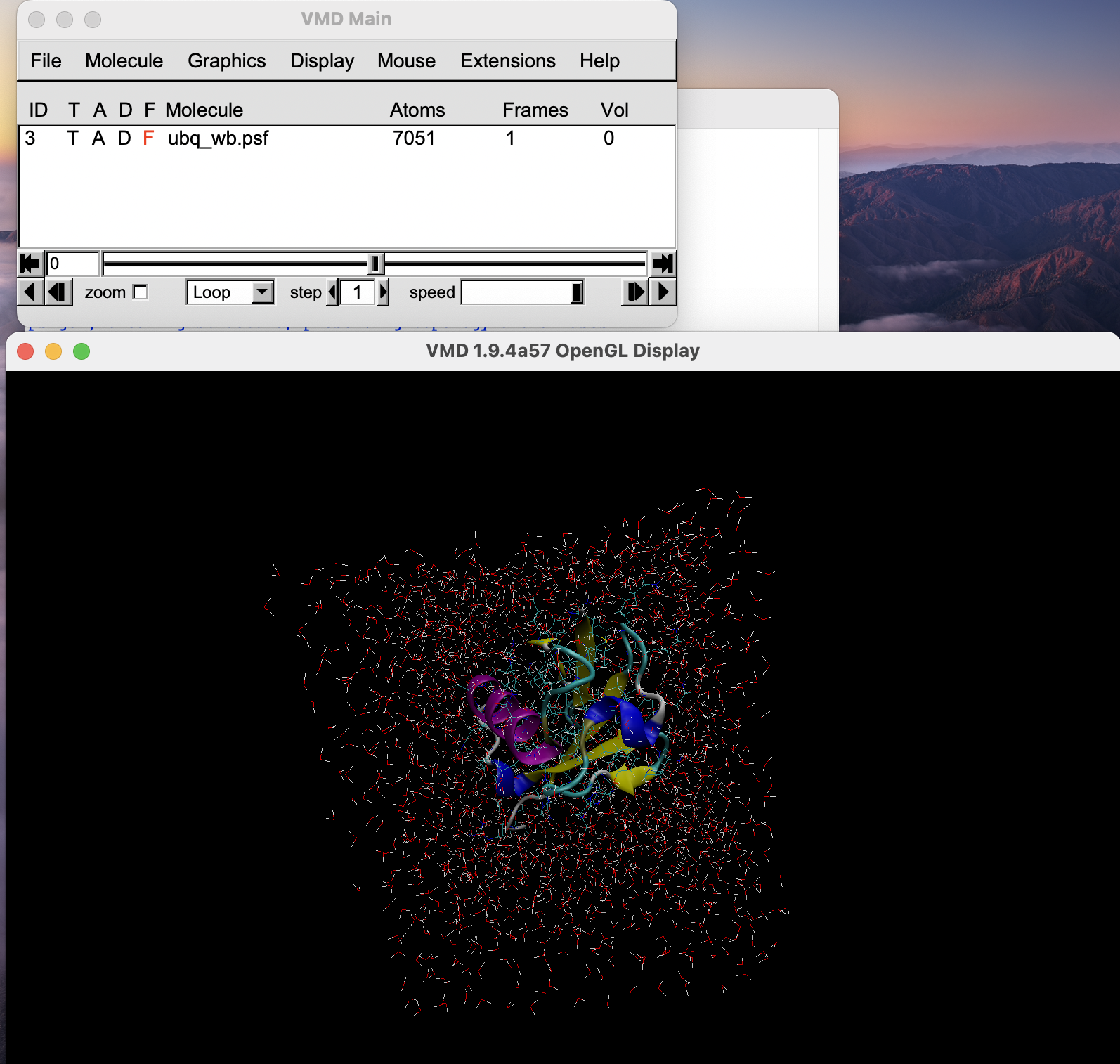
NAMD
通过 GPU 加速了 MD 的计算。
输入文件:
*PDB 结构文件,来自 PDB 或者 AlphaFold 预测
*PSF 结构文件,可以从 VMD 生成
force field 参数文件,可以从网上下载
配置文件,主要是 NAMD 运行 MD simulation 时候的参数
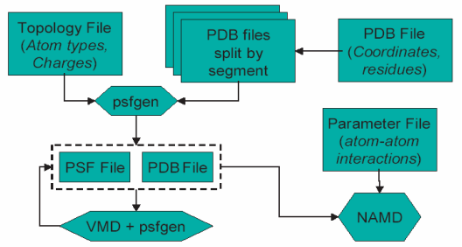
生成 PSF 文件
新建 molecue, 导入 PDB 文件
创建只含蛋白内容,不含水分子的 pdb 文件。在 Extensions → Tk Console 中输入set ubq [atomselect top protein] $ubq writepdb ubqp.pdb
使用 VMD 中的 psfgen 来生成 psf 文件,在命令行中运行 一个命令执行文件 ubq.pgn。里面的内容如下:
package require psfgen # load package
topology top_all27_prot_lipid.inp # load topology file
pdbalias residue HIS HSE # change histidine to the proper name
pdbalias atom ILE CD1 CD # change name of δ carbon in isoleucine
segment U {pdb ubqp.pdb} # create segment U and add hydrogens
coordpdb ubqp.pdb U # update segment U by adding coordinates from ubqp.pdb file
guesscoord  # guess coordinates of missing atoms (like hydrogens) based on topology file
writepdb ubq.pdb  # save pdb file
writepsf ubq.psf  # save psf file

# 注意1:在 pgn 文件中,不支持 comment,因此实际中需要用如下代码
package require psfgen
topology top_all27_prot_lipid.inp
pdbalias residue HIS HSE
pdbalias atom ILE CD1 CD
segment U {pdb ubqp.pdb}
coordpdb ubqp.pdb U
guesscoord
writepdb ubq.pdb
writepsf ubq.psf

# 注意2:组氨酸(Histidine)比较特殊,是 20个氨基酸中,是唯一可以在生理 pH 下质子化 (ionizes) 的氨基酸。这与其 pKa 数值相关(6.04)。导致组氨酸在生理 pH 下会有三种状态,包括 1)HSD,仅 δ nitrogen 质子化,2)HSE,仅 ε nitrogen 质子化,和 3)HSP,两个 nitrogen 同时质子化。这种状态会影响 MD simulation。

# 注意3: psfgen 要求对每个蛋白单链作为输入,创建 PSF 文件。可以用如下命令,创建单链 PDB 文件,作为 psfgen 的输入
set chainA [atomselect top "chain A"]
$chainA writepdb chainA.pdb
蛋白溶剂化
需要讲蛋白放在和细胞内环境更为相似的溶剂中,以模拟其特性。
通常包括两种方式:
真空中的水球 (water sphere),以模拟非边界条件的最小和平衡状态;
水盒(water box),以模拟边界的最小和平衡状态。
由于蛋白在水中通常会尽可能减小表面积,而呈现为球状。在水球中模拟可以尽快收敛到平衡状态,从而减少在水盒(water box)中的模拟时间。
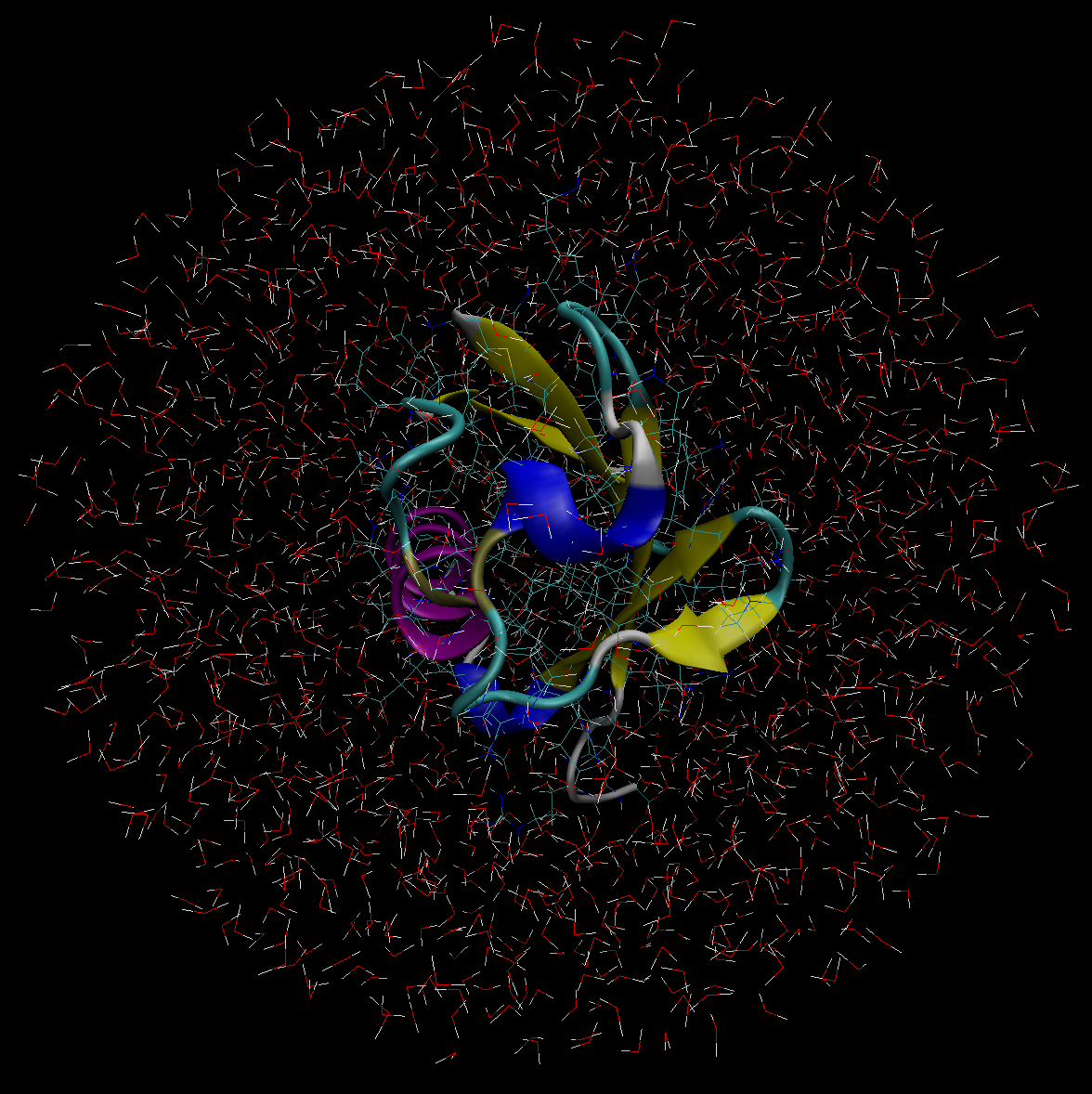
水球中的 ubiquitin 蛋白
命令如下。wat_sphere.tcl 是命令脚本。运行后,会生成 ubq_ws.pdb 和 ubq_ws.psf 文件。
vmd -dispdev text -e wat_sphere.tcl 可以用 VMD 来可视化生成结果,效果如下:
水盒中的 ubiquitin 蛋白
创建水盒的命令如下:
package require solvate
solvate ubq.psf ubq.pdb -t 5 -o ubq_wb
生成后的效果图如下
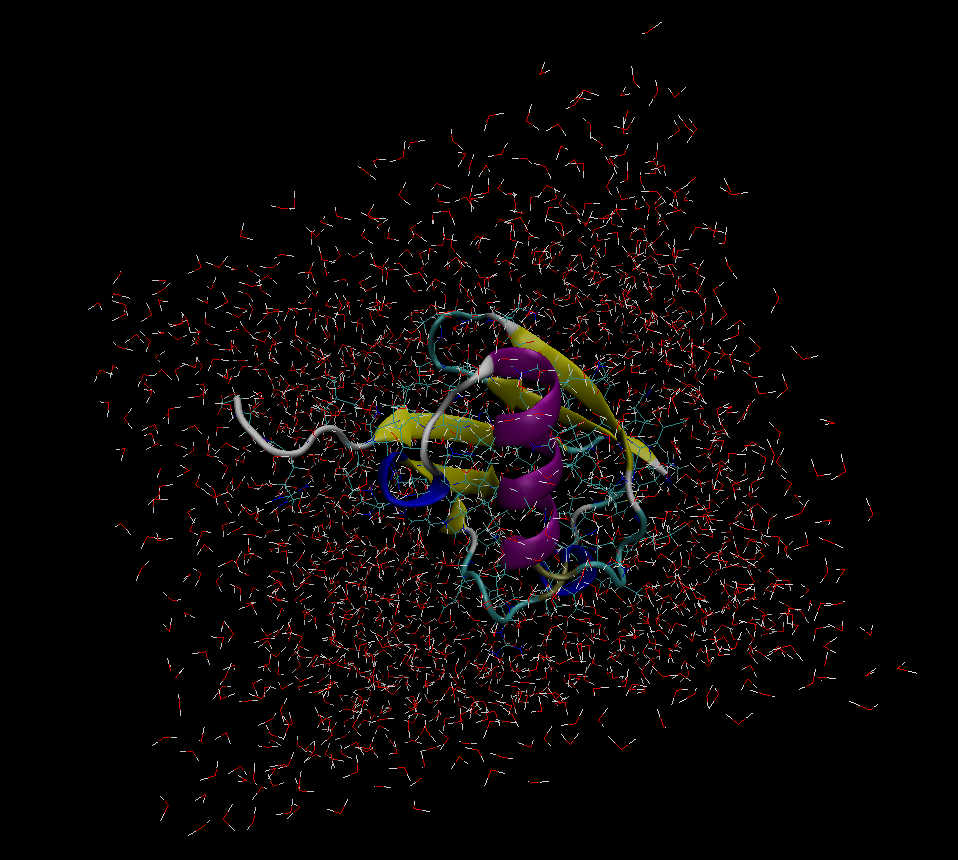
可以在 VMD TkCon 中输入命令,来查看具体的最大最小边界和中心点位置。
set everyone [atomselect top all]
measure minmax $everyone
measure center $everyone
运行 NAMD 模拟
模拟水球中的 ubiquitin 蛋白
运行命令
namd3 ubq_ws_eq.conf > ubq_ws_eq.log &运行前的核心配置内容在 ubq_ws_eq.conf 配置文件。相关内容如下:
Job description 任务描述部分,说明配置文件的内容和目的。
Adjustable parameters 中是可配置的参数项
Simulation parameters 中是运行模拟的参数项
Extra Parameters 针对特定模拟,所需配置的额外的参数项,例如防止挥发等。
Execution Script 包含最小化的平衡的三个命令
Adjustable parameters 可配置的参数项
structure: calls the psf file describing the system (ubq_ws.psf).
coordinates: calls the initial coordinate data from the file listed (ubq_ws.pdb ).
set temperature: creates a variable called “temperature" in which to store a value for the initial temperature of the system. If you place the text “$temperature" in the configuration file, NAMD simply reads it as a label for the number “310". (Creating variables is useful since you can alter the value of that variable in a single place if it is listed many times in the configuration file.)
set outputname: creates a variable called “outputname" in which to store a generic name for output files. If you place the text “$outputname" in the configuration file, NAMD simply reads it as a label for “ubq_ws_eq".
firsttimestep: simply sets a number value for the first time step of the simulation. It is typically useful when restarting a simulation. For instance, if a previous simulation ended at time step 552, the command firsttimestep 553 would be used.
Simulation parameters 运行模拟的参数项
Input
paraTypeCharmm: indicates whether or not the parameter file is in the format used by the CHARMM force field. on indicates that it is; off indicates that it is not. (If this command is not specified, NAMD assumes the file is in X-PLOR format by default.)
parameters: calls the force field parameters from the file listed next to it (in this case ../common/par_all27_prot_lipid.inp).
temperature: sets the initial temperature of the system in Kelvin (K), with the value listed next to it (in this case $temperature, or 310). This is done by assigning random elocities to atoms picked from a Maxwell distribution such that their average kinetic energy accurately represents the given temperature.
Force-Field Parameters
exclude: specifies which atomic interactions are to be excluded from consideration. See Figure 4 for general atom labels. The scaled1-4 value indicates that interactions between any such atoms 1 and 2 and 1 and 3 are neglected and interactions between atoms 1 and 4 are weakened. The van der Waals interaction for “1-4" atoms are modified using special 1-4 parameters defined in the parameter files, and electrostatic interaction is modified as shown in the next command.
1-4scaling: specifies the degree to which the electrostatic interaction between 1-4 atoms is to be taken into account. It may be a decimal between 0 and 1 (here, it is 1) and indicates how much the interaction is “turned off" or “on", respectively.
cutoff: indicates the distance in Å beyond which electrostatic and van der Waals interactions are cut-off. Otherwise, those interactions are considered over the entire volume of your system. This can be computationally too costly. When also employing a fast solver for electrostatics such as Particle Mesh Ewald (Section 1.5.1) or Multilevel Summation Method (Section 1.4.1), the cutoff parameter instead defines the splitting distance for the 1/r interaction potential, in which a short-ranged part is evaluated exactly between atoms within the cutoff distance, and the remaining long-ranged part is approximated by the solver.
switching: indicates whether or not switching functions are used to smoothly take electrostatic and van der Waals interactions to zero at the cutoff distance. You may list “on" or “off" next to it as a yes/no answer.
switchdist: indicates the distance in Å at which the functional form of electrostatic and van der Waals interactions is modified to allow their values to approach zero at the cutoff distance. A visual explanation of this is useful and may be found in Figure 5.
pairlistdist: is designed to make computation faster. It specifies a distance in Å. NAMD will only search within this distance for atoms which may interact by electrostatic or van der Waals interactions. This way, NAMD does not have to search the entire system. The distance must be greater than the cutoff distance, and the list must be updated during the simulation. See Figure 5.
Integrator Parameters
timestep: indicates the value of the time step size used in the simulation. MD simulations solve Newton’s laws in a discrete approximation to determine the trajectories of atoms. The time step tells NAMD how to discretize the particle dynamics. It is specified in femtoseconds (here, 2 fs).
rigidBonds: specifies which bonds involving hydrogen are considered to be rigid (non-vibrating). The value all specifies all linear bonds involving hydrogen and any other atoms.
nonbondedFreq: specifies in number of time steps how often nonbonded interactions should be calculated. It is useful for saving computational time.
fullElectFrequency: specifies in number of time steps how often full electrostatic interactions should be calculated.
stepspercycle: Atoms are reassigned pair list identities (as explained above) once every cycle. This command specifies how long one cycle lasts, i.e. the number of time steps in one cycle.
Constant Temperature Control
langevin: indicates whether or not the simulation uses Langevin dynamics; uses values on and off. See the science box below for more on Langevin dynamics.
langevinDamping: sets the value of the Langevin coupling coefficient, which quantifies the friction applied to the system, removing energy from the system, slowing atoms down, etc. It is specified in ps −1.
langevinTemp: Langevin dynamics may be applied to all atoms or only non-hydrogen atoms in the system. This command specifies the temperature at which to keep those atoms, even though friction and random forces will be acting on them. (Remember $temperature is a variable for the value 310.)
langevinHydrogen: indicates whether or not Langevin dynamics will be applied to hydrogen atoms in the simulation; uses values on and off.
Electrostatics with MSMMultilevel Summation Method (MSM) is a useful method for dealing with electrostatic interactions in a system that does not have fully periodic boundary conditions along all three dimensions, in other words, when employing non-periodic or semi-periodic boundaries. Although MSM also supports fully periodic boundary conditions, the Particle Mesh Ewald (PME) method discussed in Section 1.5 is more efficient for smaller periodic systems, such as ubiquitin simulated in a water box. In the present simulation involving a water sphere, MSM is the best alternative for electrostatics. MSM uses particle meshes, similar to PME, arranged as 3-D grids for evaluating long-range electrostatic interactions. Charges are assigned to nearby grid points, and the interaction of these gridded charges result in gridded potentials that are interpolated back to the atoms to determine the long-range atomic forces. Unlike PME which uses a single grid resolution, MSM uses a nesting of grids having coarser resolution at each successive “level” in real space for resolving the long-ranged tail of the 1/r Coulomb potential. Rather than evaluating the Ewald sum as PME does, MSM uses a continued splitting of the interaction potential and performs interpolation from these nested grid levels.
MSM: indicates whether or not the simulation uses the Multilevel Summation Method; uses values yes and no.
MSMGridSpacing: The grid spacing between the finest level grid points determines, in part, the accuracy and efficiency of MSM. According to an error versus cost analysis, the optimal value is for the grid spacing to be a bit larger than the average interatomic spacing; since the performance is extremely sensitive to the grid spacing, it is best to leave this parameter set to its default value of 2.5Å.
MSMxmin, MSMxmax, MSMymin, MSMymax, MSMzmin, MSMzmax: For non-periodic simulation, MSM needs to know the expected maximum and minimum coordinates so as to establish grids that will contain all atoms throughout the entire simulation. To keep the atoms from leaving the simulated space, it might be necessary to use a restraining potential, such as the spherical boundary restraints used for the water sphere simulation. Additional MSM parameters that further control accuracy and performance are documented in the NAMD User’s Guide.
Output
outputName: Several types of output data may be written by NAMD for any simulation. This command specifies the prefix for output filenames. NAMD always returns the following two output files for every simulation: a pdb file containing the final coordinates of all atoms in the system and a pdb file containing the final velocities of all atoms in the system; the extensions for these files are .coor and .vel, respectively. Thus, this configuration file will write two files named ubq_ws_eq.coor and ubq_ws_eq.vel
restartfreq: During the simulation, NAMD can also create restart files, one of which is a pdb file which stores atomic coordinates, and the other of which stores atomic velocities. This command specifies the amount of time steps between writing to the restart file (here, every 500 steps, or 1000fs, or 1 ps). If this command is not set, NAMD will not create a restart file. Furthermore, NAMD will store the file from the previous cycle each time it writes a new file. The filename is appended with a .old extension; it is created in case NAMD fails in writing the new restart file.
dcdfreq: The dcd file contains only atomic coordinates, and they are written to the file several times over the course of a simulation. Thus, it provides a trajectory of the system over the runtime. This command specifies the number of time steps between writing new coordinates to the dcd output file. If this command is not set, NAMD will not create a dcd file. In addition to the output files described, NAMD also prints a log of the simulation (which we will redirect into a .log file). This output is explained further below.
outputEnergies: specifies the number of time steps between each output of system energies (for various force field interactions) into the .log file (here, every 100 steps, or 200 fs).
Extra Parameters 特定模拟的额外参数
The section contains commands which are applicable to more specific simulations. Included here are commands which characterize the spherical boundary conditions on the water sphere. These conditions prevent the sphere from undergoing evaporation or diffusion.
Spherical Boundary Conditions
sphericalBC: indicates whether or not the simulation uses spherical boundary conditions; uses values on and off.
sphericalBCcenter: sets the x, y, z coordinates of the center of the sphere to which spherical boundary conditions are applied. This is why you need to record the center of your water sphere after you solvate!
The next three commands are parameters which must be specified for spherical boundary conditions to work properly.
sphericalBCr1: sets the distance in Å at which the first boundary potential begins to act.
sphericalBCk1: The first potential applied by spherical boundary conditions to keep the sphere together (or pull it apart) is a harmonic one. This command sets the value of the force constant for that potential. Its value is specified in kcal/mol·Å 2.
sphericalBCexp1: sets the value of the exponent used to formulate the potential; must be a positive, even integer.
Execution Script 包含最小化的平衡的三个命令
This section contains three commands, the first two of which apply to minimization and the last one of which applies to equilibration.
Minimization
minimize: sets the number of iterations over which to vary atom positions to search for a local minimum in the potential (in this case 100).
reinitvels: Minimization is performed on the system after all atomic velocities have been set to zero. This command resets atomic velocities such that the system starts at the temperature specified (in this case, $temperature, or 310K).
run: sets the number of time steps over which to run the MD equilibration (in this case 2500, which corresponds to 5,000 fs or 5 ps, since a 2 fs time step has been used).
模拟水盒中的 ubiquitin 蛋白
运行命令和上面水球模拟类似,仅配置文件中的 Simulation Parameters 模拟参数和 Output 输出配置部分有些区别。
Simulation Parameters 模拟参数
Periodic Boundary Conditions
Three periodic cell basis vectors are to be specified to give the periodic cell its shape and size. They are cellBasisVector1, cellBasisVector2, and cellBasisVector3. In this file, each vector is perpendicular to the other two, as indicated by a single x, y, or z value being specified by each. For instance, cellBasisVector1 is x = 42Å, y = 0Å, z = 0Å. With each vector perpendicular, a rectangular 3-D box is formed.
cellOrigin: specifies the coordinates of the center of the periodic cell in Å. This is why you need to calculate the center of your water box after you solvate!
wrapWater: This command may be used with periodic boundary conditions. If a water molecule crosses the periodic boundary, leaving the cell, setting this command to on will translate its coordinates to the mirror point on the opposite side of the cell. Nothing can escape. The command may be set to on or off.
wrapAll: same as wrapWater, except this applies to all molecules.
Electrostatics with PMEParticle Mesh Ewald (PME) is a useful method for dealing with electrostatic interactions in a system when periodic boundary conditions are present. The Ewald sum is an efficient way of calculating long range forces in a periodic system. The particle mesh is a 3-D grid created in the system over which the system charge is distributed. From this charge, potentials and forces on atoms in the system are determined. As a result, your grid size should be chosen such that it is fine enough to accurately represent the configuration of your system.
PME: indicates whether or not the simulation uses the Particle Mesh Ewald Sum method; uses values yes and no.
PMEGridSpacing: sets the minimum ratio between the number of PME grid points along each cellBasisVector and the physical dimensions. Since the grid will replicate the charge distribution in your system, PMEGridSpacing should be chosen to be large enough so that the grid spacing accurately reproduces your charge distribution. However, it should not be so large that it will slow down your simulation to provide unnecessary precision. Typically, a grid density of slightly more than 1/Å is a good choice to reproduce charge distribution in biological systems, where the closest atoms have a bond separation on the order of 1 Å. This corresponds to a PMEGridSpacing of 1.0. NAMD will then automatically set the PME grid sizes (see below) such that there is always less than 1.0 Å between grid points and the sizes contain only small prime factors (e.g. 2, 3, and 5).
Alternatively, one can define the PME grid sizes manually, using PMEGridSizeX, PMEGridSizeY, and PMEGridSizeZ. These set the size of the PME grid along cellBasisVector1, 2 and 3, respectively (not the x, y, and z directions as implied). For speed in computing Fast Fourier Transforms, PMEGridSizeX should be chosen so that it can be factorized by 2, 3, or 5. If your cellBasisVector1 = (60, 0, 0), a good choice for PMEGridSizeX might be 64, since 60 Å / 64 = 0.9375 Å and 64 = 2 6 . Note that since cellBasisVector is defined with slightly different values in each direction, the size of the mesh spacing (in length) will be different in each direction. Note also that when using the PME method, the command cutoff dictates the separation between long and short range forces for the method; it does not simply turn off interactions.
Constant Pressure Control (variable volume)
useGroupPressure: NAMD calculates system pressure based on the forces between atoms and their kinetic energies. This command specifies whether interactions involving hydrogen should be counted for all hydrogen atoms or simply between groups of hydrogen atoms; uses values yes and no and must be set to yes if rigidBonds are set.
useFlexibleCell: specifies whether or not you want to allow the three dimensions of the periodic cell to vary independently; uses values yes or no.
useConstantArea: NAMD allows you to keep the x − y cross sectional area constant while varying the z dimension; uses values yes and no.
langevinPiston: indicates whether or not the simulation uses a Langevin piston to control the system pressure; uses values on and off.
langevinPistonTarget: specifies, in units of bar, the pressure which the Langevin piston tries to maintain. (1 atm = 1.013 bar)
The following are specifications for the Langevin piston which NAMD allows you to specify.
langevinPistonPeriod: sets the oscillation time constant in fs for the Langevin piston.
langevinPistonDecay: sets the damping time constant in fs for the Langevin piston.
langevinPistonTemp: sets the “noise" temperature in K for the Langevin piston; should be set equal to the target temperature for the temperature control method (here, set by langevinTemp).
Output
xstFreq: The extended system trajectory file contains a record of the periodic cell parameters, essentially recording the trajectory of the cell boundaries over the run time. This command specifies how often, in time steps, the configuration will be recorded. If this command is set, three xst files will be output: 1 final and 2 restarts.
outputPressure: specifies the number of time steps between each output of system pressure into the .log file.