Xiaopeng Xu
R 常用命令
Contents
基础操作
包操作
install.packages("ggplot2") # 安装包
library(ggplot2) # 加载包
R notebook 快捷键
Ctrl+Shift+Enter # Run current chunk
Ctrl+Cmd+I # insert new chunk
Ctrl+Shift+K # Preview HTML file
更改当前目录
setwd("/path/to/my/directory")赋值
inoutpath <- "datanew"
a = 123
fetchScholarAuthors <- T # T for True
errToFile <- F # F for False
数据操作
读取数据
train_10_scores = read.csv("result/train_10k_scores.csv")合并 dataframe
library(gdata)
density_dat = combine(Train, Prior) # 合并后会新增 source 列,对应 Train 和 Prior
ggplot2 绘图
线图
ggplot(NULL, aes(x, y)) +  geom_line(data = data2, col = "blue") +
labs(x="X axis", y = "Y axis") # Rename axis
点图
ggplot(NULL, aes(x, y)) + geom_point(data = data1, col = "red")Histogram 分布图
ggplot(df_sample, aes(x=dist, colour=source, fill=source)) +  # 设置底图和数据
geom_histogram(alpha=0.3, binwidth=1) +  # 画 histogram 图
coord_cartesian(xlim=c(0, 15)) + # 设置作图区间
labs(x="Paire-wise distance") + # 设置 x-轴名称
theme_bw() # 设置白底
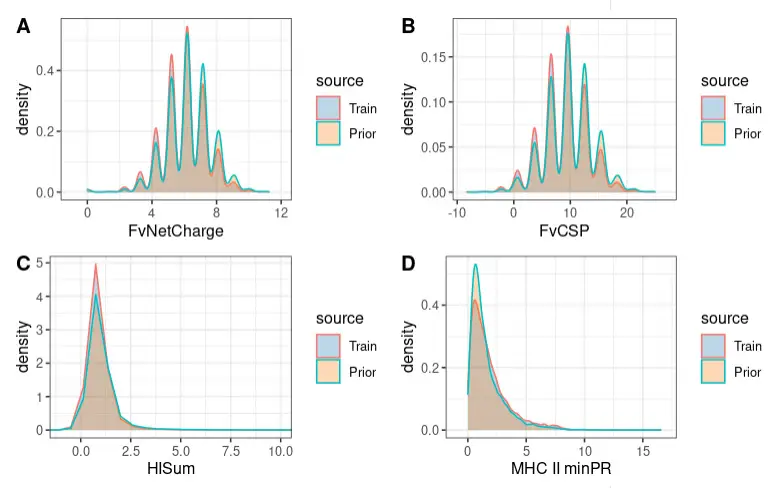
Density 密度分布图
cols <- c("#1f77b4", "#ff7f0e") #, "#72D8FF")
ggplot(density_dat, aes(x=raw_FvNetCharge, colour= source, fill= source)) +  # 设置底图和数据
geom_density(alpha = 0.3) + # 画 density 图
scale_fill_manual(values=cols) + # 对下方区间染色
theme_bw() # 背景色设为白色
合并多张图
# bxp <- ggplot(...)...
# dp <- ggplot(...)...
# lp <- ggplot(...)...

figure <- ggarrange(bxp, dp, lp,
                    labels = c("A", "B", "C"),
                    ncol = 2, nrow = 2)
figure